

Appearance
Add Custom Links (Pro)
FluentCommunity's Custom Links feature lets you add personalized links to your community for easier navigation and a better member experience. These links appear in your sidebar menu groups and can point members to external tools, landing pages, or key resources.
Note: Custom Links is a Pro feature. You need the FluentCommunity Pro plugin to use this option.
Use Case: You want a sidebar link labeled "Weekly Office Hours" that opens your Zoom room in a new tab, visible only to logged-in members in your coaching Space.
Adding a Custom Link
You create custom links from the WordPress dashboard as a dedicated Links space type.
- Go to your WordPress dashboard and open FluentCommunity → Spaces.
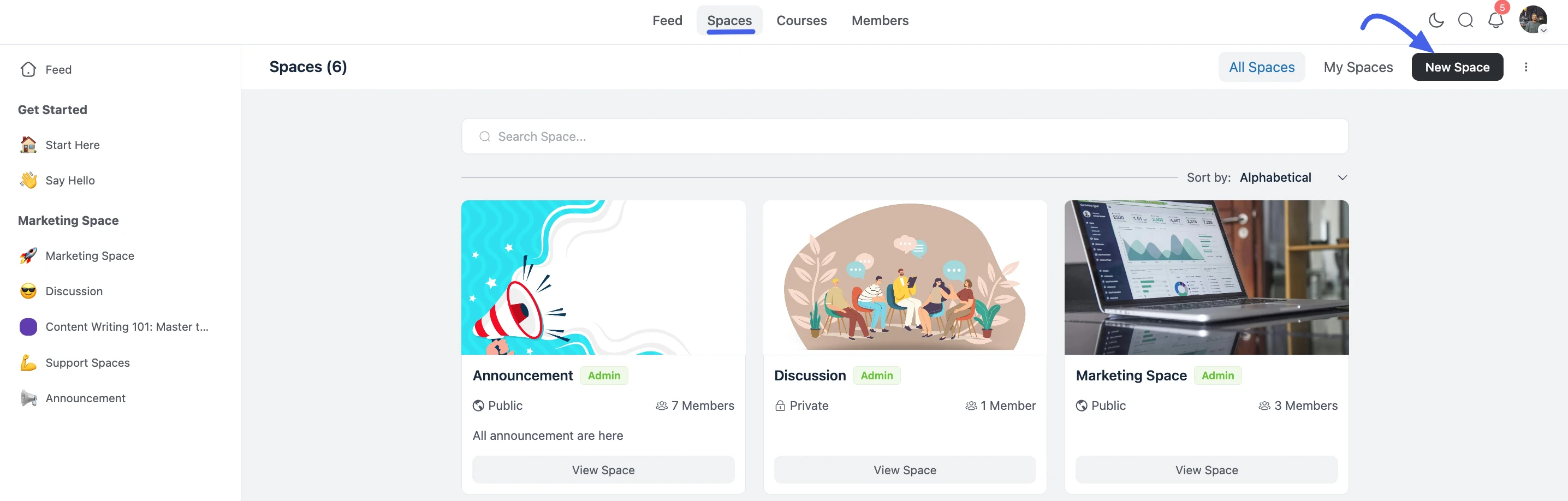
- Click the New Space button in the top-right corner.
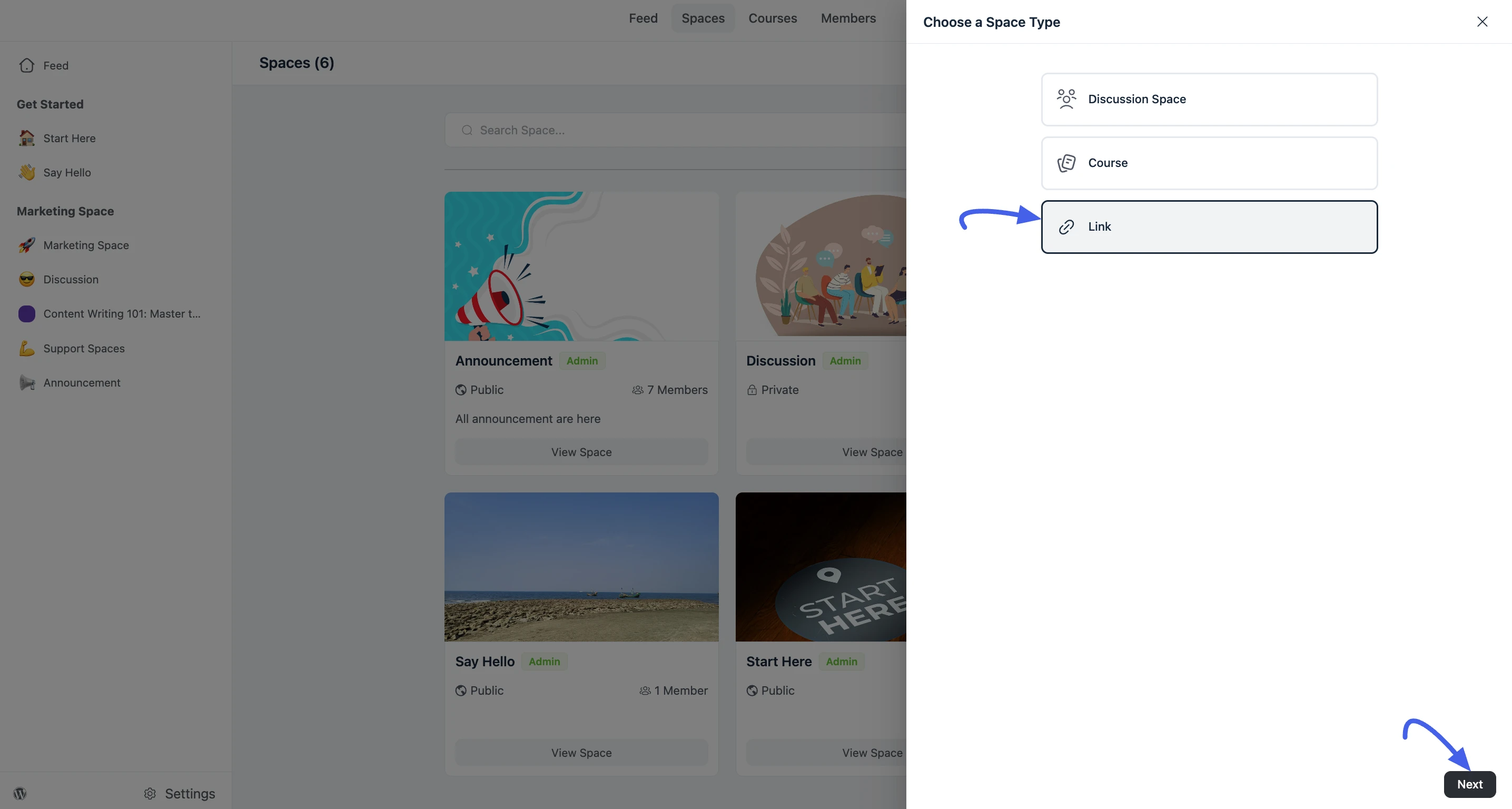
- In the popup, select Links and click Next.
Create a Custom Link
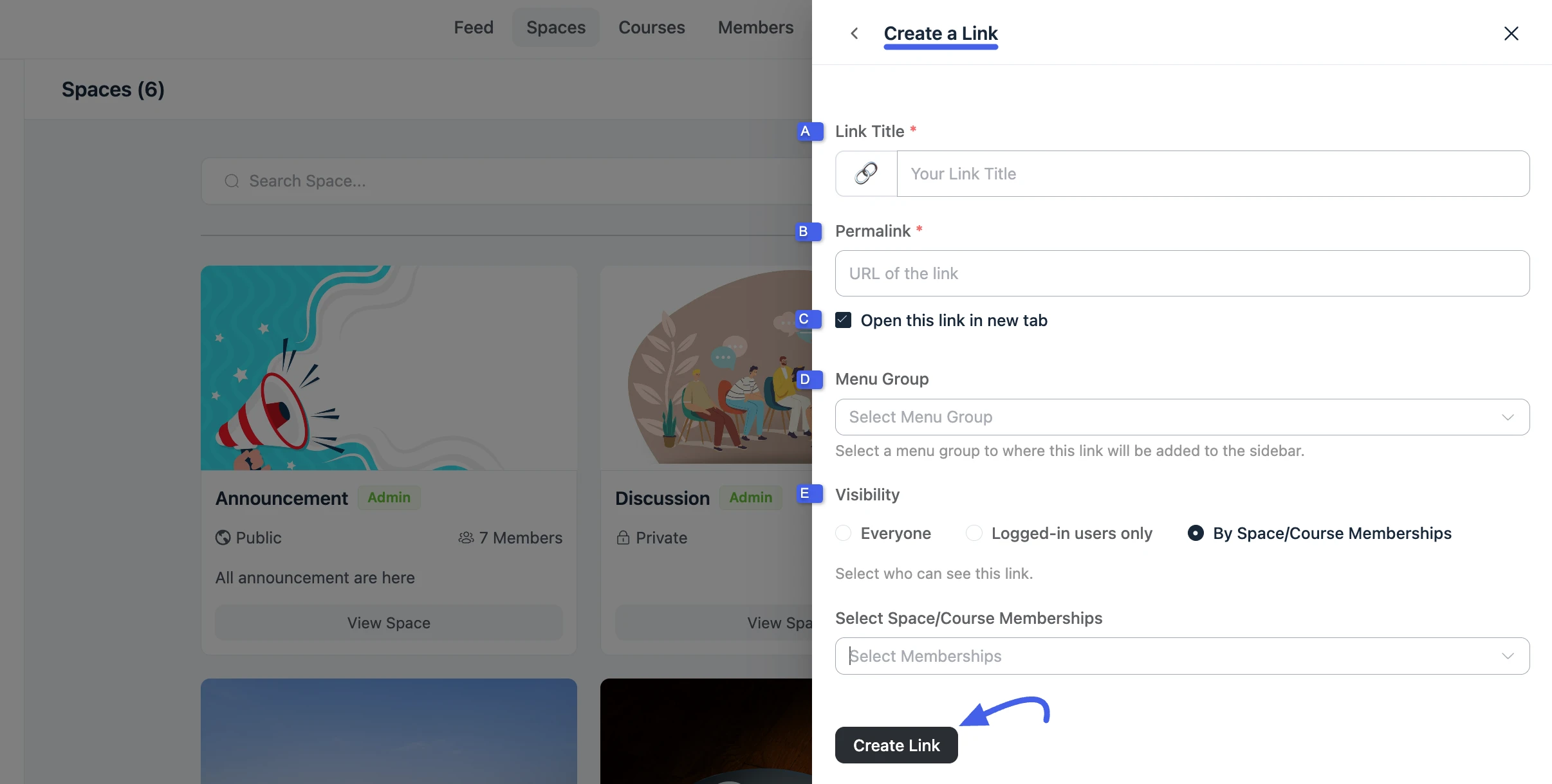
Fill in the link details in the creation form:
A. Link Title
Enter a clear, descriptive title. This is the label members see in the sidebar (for example, Resources, Book a Call, or Course Portal).
B. Permalink
Add the full URL you want the link to open (for example, https://example.com/resources). Always use a complete URL including https://.
C. Open this link in new tab
Enable this option if you want the link to open in a new browser tab. This is recommended for external pages so members do not lose their place in the community.
D. Menu Group
Select the menu group where this link should appear in the left sidebar. Menu groups help keep navigation organized by topic or audience.
E. Visibility
Choose who can see the link:
- Everyone: Visible to all users, including guests (if your portal allows guest access).
- Logged-in Users Only: Visible only to users who are signed in.
- By Space/Course Memberships: Visible only to members of selected Spaces or Courses.
Save the Link
After entering all details, click Create Link to save.
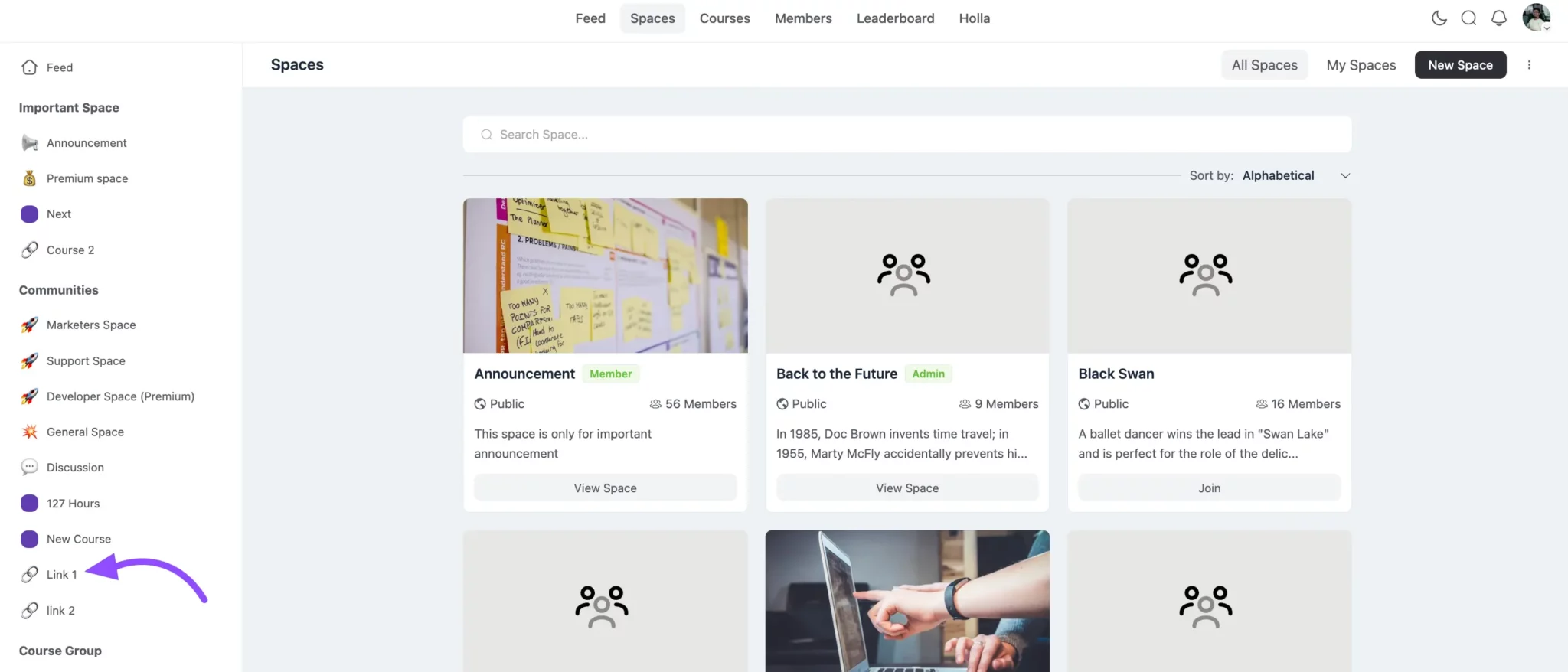
You will see a confirmation message when the link is created successfully. The link then appears in the menu group you selected and follows the visibility rules you configured.
Custom Links vs. Space Links
FluentCommunity offers two link options:
- Add Custom Links (Pro): Create sidebar navigation links from the dashboard using the Links space type (this guide).
- Space Links: Add links inside an existing Space's navigation via Space Settings → Space Links.
Use Custom Links for global or menu-group navigation. Use Space Links for resources specific to one Space.